2024 Sponsor & Exhibitor Manual

Sponsors & Exhibitor Manual

Thank you for participating in this year’s conference. The information below will assist with your preparation.

If you have any questions or require assistance please contact us: mail@conferencedesign.com.au.

Conference Managers

Please contact organisers at Conference Design if you have any queries.

Conference Team

  • Sam Morley & Andrew Watts
  • mail@conferencedesign.com.au
  • +61 3 6231 2999

Venue

  • Melbourne Convention & Exhibition Centre
  • Convention Centre
  • Ground Level & Level 2
  • Wurundjeri Woi Wurrung Country
  • 1 Convention Centre Pl
  • South Wharf VIC 3006

All exhibitors must complete the basic MCEC site induction form prior to coming onsite.

Exhibition Supply Company

Please complete the forms below for the following:

  • supply of the included exhibition booth and furniture
  • fascia/name board wording
  • confirming lighting & power
  • ordering additional signage, printed panels, audio visual, plants, or furniture
  • custom stands

Only the booth and furniture in the package below are included in the exhibition cost. All additional items and variations are at the exhibitors own cost.

Forms must be completed by 11 October 2024.

Booth artwork is due to Moreton Hire by 25 October 2024. 

Exhibitor Build & Bump In

  • Custom Stand Build:
    • Sunday 17 November: 0830 – 1630
  • Exhibition Access for Set-up:
    • Sunday 17 November: 1630 – 1900
  • All Set-up Completed By:
    • Sunday 17 November: 1900

All packing materials must be removed from the exhibition area by this time.

On Arrival: please go straight to your stand and begin setting up. The congress staff will deliver your name badges and an exhibitor pack to your stand. We recommend bringing a high vis vest as the venue requires one to be worn during bump-in if stand builds are still happening.

Exhibitor Bump Out

Due to safety requirements you will not be able to dismantle your display or remove vehicles before the published closing time.

  • Exhibitor Bump-out:
    • Wednesday 20 November: 1530 – 1630
  • Custom Stand Bump-out:
    • Wednesday 20 November: 1630 – 2400

Open to delegates

The exhibition will be open at the following times:

  • Monday 18th November: 07:30 – 19:00
  • Tuesday 19th November: 08:30 – 17:00
  • Wednesday 20th November: 09:00 – 13:30

If you are conducting an on-stand prize draw, please ensure winners are drawn and announced prior to the end of lunch on Wednesday 20th November.

The times are subject to change. Check the program page for catering breaks.

Deliveries

Late and missing deliveries are the main problem for sponsors and exhibitors when arriving onsite for a conference.

  1. Download and use the delivery label provided by the venue.
  2. Confirm with your courier the delivery has been made BEFORE you arrive.
  3. Have the name of your courier, the consignment numbers and confirmed delivery date when you arrive.
  4. Goods will only be accepted from 0800 on Sunday 17th November.

Freight Forwarder

Exhibitors can choose to use GEL Events as their freight handler or they can choose to engage their own courier service. 

GEL Events can assist exhibitors with freight to and from Melbourne and will organise delivery directly to the Exhibition Hall at the MCEC.

Collections from the Venue

Your staff need to ensure all steps are completed before leaving the exhibition. Organising staff and venue staff are not able to assist with your deliveries.

  • Pack and label all materials
  • Add your couriers consignment note and/or number as required
  • Leave the items on your stand for collection by venue staff
  • Arrange for your courier to collect the items from the loading dock
  • All goods must be collected by the next day

Your Contact Person

Please appoint a single point of contact within your organisation when booking. All bookings will be recorded under the one name and all correspondence will be sent to this person.

Registration of Attendees

All representative or guests of your organisation who wish to attend the conference or must register before the conference. An official conference name badge will be required to access the conference and exhibition areas.

Included Registrations

We recommend registering your representatives 90-60 days before the conference. Accommodation bookings can be made when registering.

  • Sponsors – Included registrations are listed in each package
  • Exhibitors – Two per booth
  • Register via the portal (see above)

Additional Registrations

Additional exhibitor registrations and social function tickets can be purchased separately.

  • $550 | Additional Full Registration
  • $300 | Day Pass Registration

Venue Contact

Venue related enquiries including food and beverage orders should be directed to:

View the MCEC Exhibitor Resources

Custom Stand Authorisation

All custom stand plans must be sent to Exhibitor Services at the venue for approval. See the bump-in schedule for when custom stand builds can commence and finish

  • Exhibitor Services Name
  • (03) 9235 8110
  • exservices@mcec.com.au

Forklift Services

Forklift services for bump in and bump out are available via MCEC Exhibitor Services. Please email exservices@mcec.com.au to confirm forklift use.

Car Parking

Limited car parking is available onsite.

Sponsorship Package Inclusions

The inclusions for each sponsorship package are listed on the Sponsorship & Exhibition Opportunities page

Terms and Conditions

You can find the full sponsors and exhibitors Terms and Conditions on the sponsors and exhibitors opportunities page.

Freight Companies

Exhibitors and sponsors are responsible for all freight to and from the conference venue.

Exhibition Booth Inclusions

Each Exhibition Site includes:

The standard exhibition package includes:

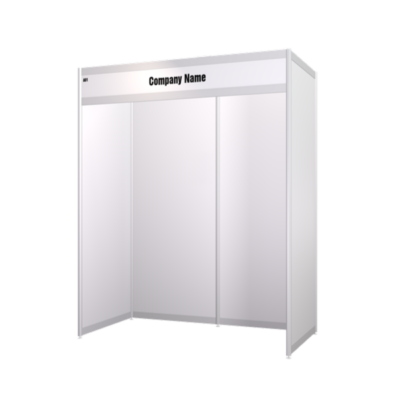
  • 3m x 2m Floor Space/Shell Scheme.
  • White panel shell scheme booth.
  • Fascia board with your company name.
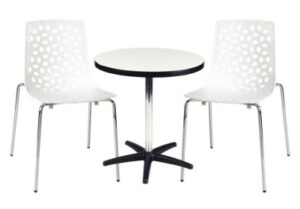
  • Your choice of furniture package
  • 2 x spotlights.
  • 1 x 4 amp power outlet.
  • 1 x wireless internet connection per site.
  • 1 x waste paper basket.

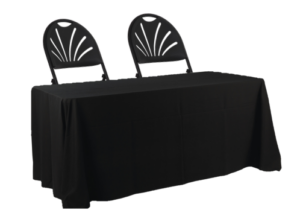
Furniture Package Options
Exhibition Booth 3m x 2m
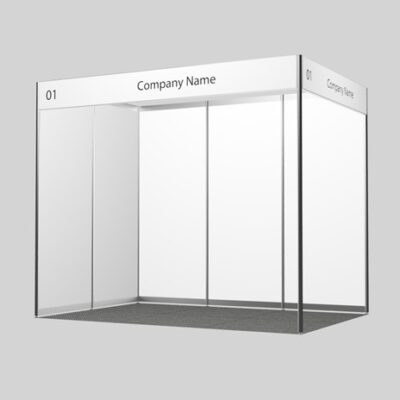
3x2m booth

Exhibition Pod 2m x 1m

2x1m pod

Advertising & Marketing Materials

Please check you purchased sponsorship or exhibition package for inclusions.

Sponsor Logos

Logo are used on the website, in the printed program, in the conference app and on PowerPoint slides.

  • An EPS version for print material
  • A PNG, JPG or TIFF version for web and app. High resolution, at least 250 KB.
  • Due Date: On Booking
  • Upload via the portal (see above)

Company Profile

Your profile will be included in the conference app and on the conference website.

  • Sponsors – See your package inclusions for the number of words
  • Exhibitors – 250 words in conference app
  • Upload via the booking portal
  • Due Date: On Booking
  • Upload via the portal (see above)

We recommend you include a contact email address, web address and phone number.

Website Hyperlink

Links are used on the website, in the conference app, and in the online conference portal, where relevant.

  • One web address of your choice. For example, it could be your company website, a product page, or a marketing campaign.
  • Due Date: On Booking
  • Upload via the portal (see above)

App Push Notifications

Short alerts sent via the conference app and online conference platform.

  • Sponsors – See your package inclusions for the number of words
  • Exhibitors – not applicable
  • Heading test maximum 10 words
  • Body text maximum 30 words
  • Due Date: 3 weeks prior to Conference
  • Emailed to the conference team (see above)

We recommend you include a contact email address, web address and phone number.

Pocket Program Advertisements

Advertisements in the printed Pocket Program are available for purchase.

  • Sponsors – See the inclusions listed in each package
  • Exhibitors – Available for purchase
  • Supply a print optimised, high resolution PDF
  • Full colour
  • Printed A6 portrait aspect
  • Full Page is 148mm (h) x 105mm(w)
  • Half Page is 74mm (h) x 105 mm (w)
  • Add 3mm bleed around all 4 sides and supply file with trim marks included
  • Due Date – 30 days prior to the conference
  • Email to the conference manager (see above)

The design and supply of the finished advertisement by the due date is the responsibility of the advertiser.

eSatchel Insert PDF

A PDF for the eSatchel section of the app.

  • High resolution, colour PDF
  • A4 portrait orientation, 210mm x 297mm
  • Maximum size of 500KB
  • No bleed and no crop marks
  • PDFs will be uploaded as ‘as received’
  • Due Date – 3 weeks prior to the conference
  • Upload via the portal (see above)

eSatchel Video

Eligible sponsors have the opportunity to have a short video or video URL linked to the eSatchel in the App. Your video will be uploaded to Vimeo and linked to the eSatchel in the app and online.

  • Maximum size of 20MB
  • MP4 or AVI formats
  • Due Date – 3 weeks prior to the conference
  • Upload via the portal (see above)

Online Exhibition Listing

Sponsors and exhibitors are encouraged to interact with online delegates via the OnAIR virtual conference platform.

The exhibitor listing will be available throughout the conference where sponsors and exhibitors can meet with and host live presentations for online delegates.

If you would prefer not to allocate staff to the online component of the conference, delegates can contact you by clicking a “Request Info from Exhibitor” button on your exhibitor listing. Once clicked, the delegates details will be sent to you for follow up.

Click the image to the right to view a guide on the online conference platform for sponsors.

What does an online exhibition listing include?

  • Exhibitor listing in the online conference portal, include:
    • Logo & hyperlink (same as conference app).
    • Company profile (same as conference app).
    • PDF brochure/flyer/s available for download from your listing and the online exhibitor resource gallery (same as conference app).
    • Promotional video/s displayed with your exhibitor listing (same as conference app).
  • “Request Info from Exhibitor Button” – when a delegate clicks this button, their details will be submitted to you for follow up.
  • Ability to host Live Presentations for online delegates.
  • Ability to provide up to ten Frequently Asked Questions (FAQs) in your online listing.
  • Ability to connect with delegates via the online conference portal “meeting hub”.
  • Ability to meet with delegates via your online exhibitor listing throughout the conference.

Accessing the OnAIR Portal

Login details will be emailed directly to registered representative/s. The email will include auto-login details so representatives can easily log into the OnAIR portal directly. Once in the portal, representatives can access your exhibitor dashboard by clicking on your listing.

Representatives not registered will not be able to access the OnAIR portal.

When your representatives ‘enter’ your listing, they will see a meeting queue list, a list of who is already in meetings, and any meeting requests from delegates.

Leading up to and throughout the conference, your representatives can text chat with each other and view pre-loaded company brochures.

What you need to participate

In order to participate in the online exhibition, staff members will need access to a device (laptop or desktop computer are recommended), internet, a webcam and a microphone.

For the best user experience, we recommend using the latest version of Google Chrome.

Categories